Running Qwen3.8-Flash-Next locally with Strata: what computer your business needs and what it's good for
Strata is a free program that runs Qwen3.8-Flash-Next, a top-tier AI model, on a gaming PC. I explain what it is, what's new in the latest version, what hardware you need for the size of your business and what I'd use it for.
 By Miguel A. Taboada
· 10 min read
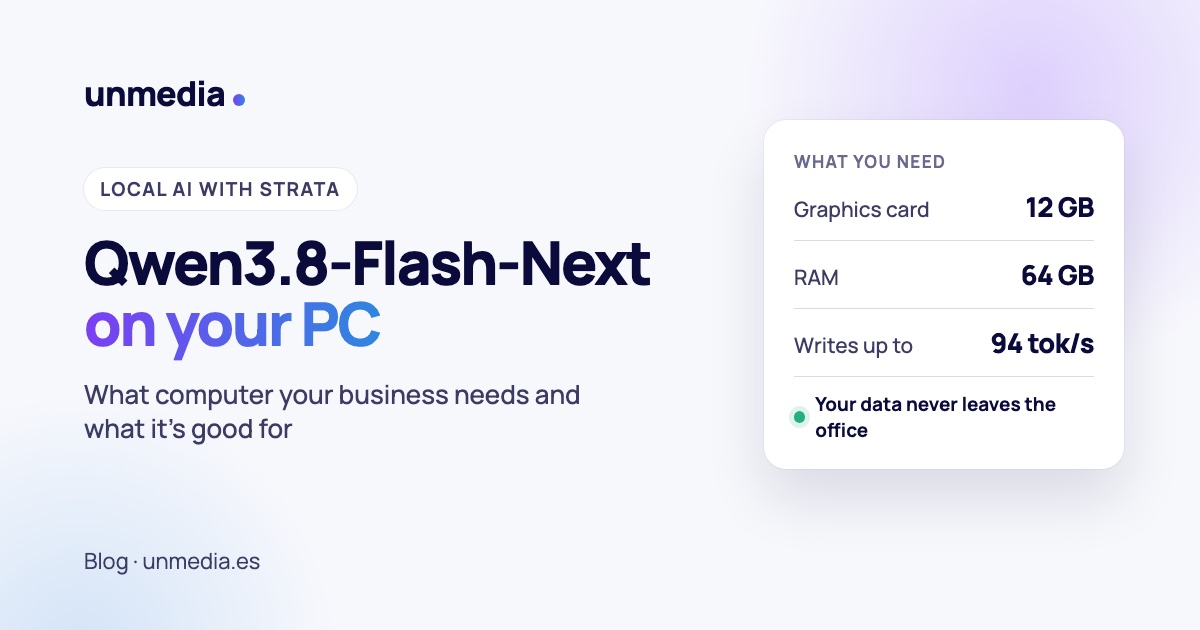
Strata is a free, open-source program that runs Qwen3.8-Flash-Next, a 125-billion-parameter artificial intelligence model, on an ordinary gaming PC: an NVIDIA or AMD graphics card with 12 GB, 64 GB of RAM and an SSD. It writes at roughly 50-95 words per second, reads images and very long documents, and nothing leaves the computer. For a small business that handles personal data under the GDPR, it's the first time an AI of this calibre fits on an office machine.
Until recently, a model like this needed a server with hundreds of gigabytes of graphics memory, costing as much as a car. Now you can try it on a PC from any computer shop. I've read the documentation for Strata and for the model, so here are the verified facts, the hardware you'd need and the uses I see for a small business.
What is Qwen3.8-Flash-Next?
It's an AI model from Qwen, Alibaba's artificial intelligence team, released on 26 August 2026. Its weights can be downloaded from Hugging Face. The essentials:
- It's big, but only does a little work at a time. It has 125 billion parameters split across 512 "experts", small specialists. Only a few are switched on for each word, the equivalent of 6 billion parameters. That's why it can run quickly on modest hardware.
- It reads a lot in one go. It handles 262,144 tokens of context, about 200,000 words: a whole technical manual or a client's full history.
- It understands images. It can read photos, screenshots and scanned documents.
- It's built to work with tools. Qwen aims it at long office tasks, programming and agents that operate a computer.
In the benchmarks Qwen publishes, it scores 62.5 on SWE-bench Pro, a real-world programming test, ahead of Claude Opus 4.6's 53.4 in the same table. These are the maker's own figures, so take them with a pinch of salt, but they put it among the most capable open models available today.
What is Strata and what's new in the latest version?
Strata is the program that makes the model fit on a PC. It's MIT-licensed, runs on Windows and Linux and installs with a double click. The trick, in its author's own analogy, is a kitchen: what you use all the time stays on the worktop (the graphics card), the rest waits in the pantry (the RAM), and a large lookup table lives on the SSD. On top of that, a small model guesses the next few words and the big one simply checks them, which speeds up answers by 1.6 to 1.8 times without changing them.
Version 0.1.39, released on 4 October 2026, brings several changes that matter to a business:
- Several requests at once. It used to serve one person while everyone else waited. Now it can serve several in parallel. With four 16 GB cards it handled 8 requests at once at 360 tokens per second in total.
- A bit faster. 6 % faster when writing and up to 18 % faster when reading long documents with some sizes.
- Works with more software. As well as mimicking the OpenAI and Anthropic APIs, it now speaks the API used by Codex, OpenAI's coding assistant.
- More hardware, experimentally. Older NVIDIA cards, Intel Arc and older processors, as opt-in experiments.
Bear in mind: Strata is at version 0.1, maintained by one person with help from the community, and new releases come out almost daily. It's very promising, but it isn't a supported enterprise product. For anything critical, test it thoroughly first and have a plan B.
What computer do you need to run it?
These are Strata's requirements:
| Component | Minimum | Recommended |
|---|---|---|
| Graphics card | NVIDIA RTX 20, 30, 40 or 50 series, or AMD Radeon RX 7000/9000 with 12 GB | 24 GB or more (RTX 3090, 4090, 5090) |
| RAM | 32 GB (coding version only) | 64 GB: every size fits |
| Disk | 80 GB free | NVMe SSD |
| Operating system | Windows 10/11 or Linux | Up-to-date graphics drivers |
Your RAM decides which size of the model fits. The same model comes compressed more or less: smaller sizes are faster and larger ones a little smarter. The largest one Strata handles comfortably, IQ3_S, matches the full model on the published tests.
These are the speeds the author measured:
| Machine | Size | Writes | Reads |
|---|---|---|---|
| NVIDIA RTX 5070 (12 GB) + 64 GB RAM | Q2_0 (fastest) | 94 tokens/s | 2,650 tokens/s |
| NVIDIA RTX 5070 (12 GB) + 64 GB RAM | IQ3_S (best) | 53 tokens/s | 1,620 tokens/s |
| AMD RX 9070 XT (16 GB) + 47 GB RAM | Q2_0 | 60 tokens/s | 1,160 tokens/s |
| NVIDIA RTX 3090 (24 GB) + 64 GB RAM | Q2_0 (estimate) | 100-140 tokens/s | — |
A token is roughly three-quarters of a word. At 50 tokens per second the text appears faster than you can read it.
The setup I'd choose for each size of business
- To try it out, or for one person: a gaming PC with an RTX 5070 or similar 12-16 GB card, 64 GB of RAM and a 1-2 TB SSD. It's the author's own setup. It serves one person at a time.
- For a small team (3-10 people): a 24-32 GB card (a second-hand RTX 3090, a 4090 or a 5090) and 64-96 GB of RAM. With more graphics memory, more experts fit on the card, and Strata recommends serving 3 or 4 requests at once.
- For a department, or agents working non-stop: a server with two to four cards, or a workstation with a 96 GB professional card. At that point you can run the model at 4 bits and share it between several users.
- If your office runs on Macs: Strata doesn't work on a Mac. A Mac Studio with 96-128 GB of memory can run the model with other tools such as Ollama or llama.cpp, which is what Unsloth recommends in its guide.
What the adverts don't tell you: the first time it starts, the computer can freeze for one to three minutes while it loads 35-55 GB into memory. And while the model is running, that PC is busy: it's not a good idea for it to be someone's everyday work machine as well.
What would a business use it for?
The big advantage isn't price. Using this same model over the internet in Qwen's cloud costs around $0.16 per million input tokens, next to nothing. The advantage is different: your data never leaves your office, you don't depend on a provider changing its prices or terms, and you can leave it working all night without watching the bill. These are the clearest uses I see:
- Accountants and law firms: summarising case files, sorting emails and drafting replies containing names, ID numbers and figures that shouldn't travel to outside servers.
- Clinics and health practices: tidying up consultation notes or drafting reports. With health data, keeping the text inside the building makes GDPR compliance much simpler.
- Industry and engineering: loading an entire technical manual or a machine's documentation and asking it questions in plain language. With 262,000 tokens of context, almost any manual fits.
- Admin and purchasing: reading photos of delivery notes and scanned invoices, pulling out the data and getting it ready for your accounting software.
- Shops and online stores: writing or translating product listings in batches. As you don't pay per use, you can redo them as often as you like.
- In-house software development: Strata connects to assistants such as Claude Code or Codex, and has a "Coder" version built for programming that fits on a 32 GB PC.
- An internal assistant that knows your business: procedures, price lists, customers' frequent questions. Any software that works with the OpenAI API can be pointed at this computer by changing one address.
A hypothetical example: a six-person accountancy firm receives a stack of emails every morning with payslips and invoices attached. A PC with an RTX 3090 and 96 GB of RAM, tucked in a corner of the office, reads the emails overnight, flags the urgent ones, extracts the data from each invoice and leaves a draft reply for every client. In the morning, the team reviews and sends. Not a single document has left the building.
What should you check first?
- The licence allows commercial use. The model uses the Qwen Community 1.0 licence: you can use it in your business without paying anything. It only requires a separate licence if you sell the model as a service to third parties, and you must display its name if your product goes over 100 million users a month.
- Compressed isn't the same as complete. The smallest sizes lose some quality. For sensitive tasks, go for IQ3_S, which needs 64 GB of RAM or more.
- Test it in your language. The model works well in English and Spanish. According to the project itself, the Coder version is weaker outside English. If your business works in another language, test it before you rely on it.
- If you open it to the network, set a password. Strata can serve other computers in the office, but you need to set a key so that nobody else can use it.
- Local doesn't mean infallible. Like any AI, it can get things wrong. Anything it drafts should be checked by a person before it goes to a client.
Is it worth it for my business?
My practical advice:
- Yes, if you handle sensitive data and so far haven't dared use AI for fear of where it ends up. It's exactly the case where it makes most sense.
- Yes, if you have repetitive work in volume that can be left running overnight.
- Better to wait, if you just want a chatbot for the odd question. For that, a cloud service is more convenient and, with non-sensitive data, cheaper than buying a machine.
If you'd like to try an AI that keeps your data inside your office, I can set it up and connect it to the software you already use, working remotely from Vigo. Have a look at how I work with AI.
Frequently asked questions
What is Qwen3.8-Flash-Next?
It's an artificial intelligence model from Qwen (Alibaba), released on 26 August 2026. It has 125 billion parameters, of which it only uses about 6 billion for each word, reads images and handles 262,144 tokens of context.
What is Strata?
It's a free, open-source program (MIT licence) that runs Qwen3.8-Flash-Next on a Windows or Linux PC with a graphics card of 12 GB or more. It spreads the model across the graphics card, the RAM and the disk.
What computer do I need to run Qwen3.8-Flash-Next locally?
With Strata, an NVIDIA RTX 20 to 50 series card or a recent AMD Radeon with 12 GB, 64 GB of RAM and about 80 GB free on an SSD. With 32 GB of RAM, only the coding version fits.
Does it work on a Mac?
Strata doesn't. On a Mac with 96 GB of memory or more you can run the model with other tools, such as Ollama or llama.cpp.
Can a business use it?
Yes. The Qwen Community 1.0 licence allows commercial use. You only need a separate licence to sell the model as a service to third parties.
Does my data leave the computer?
No. The model runs entirely on your machine and doesn't need the internet to answer. It only connects to download the model the first time and to update.
Miguel A. Taboada
I design and build websites, apps and useful AI from Vigo, Spain. I write about what I see every week looking after websites for artists, schools and small businesses.